
Join from a QR code
Customers scan the code at your door and join in seconds with their name and mobile number. There’s nothing to download.
Features
Queue Join replaces the paper list, the ticket machine and the phone that never stops ringing. Customers join a live waitlist or book a slot from their phone, and your team runs the day from one real-time dashboard. Here’s everything that comes with it.
For your customers
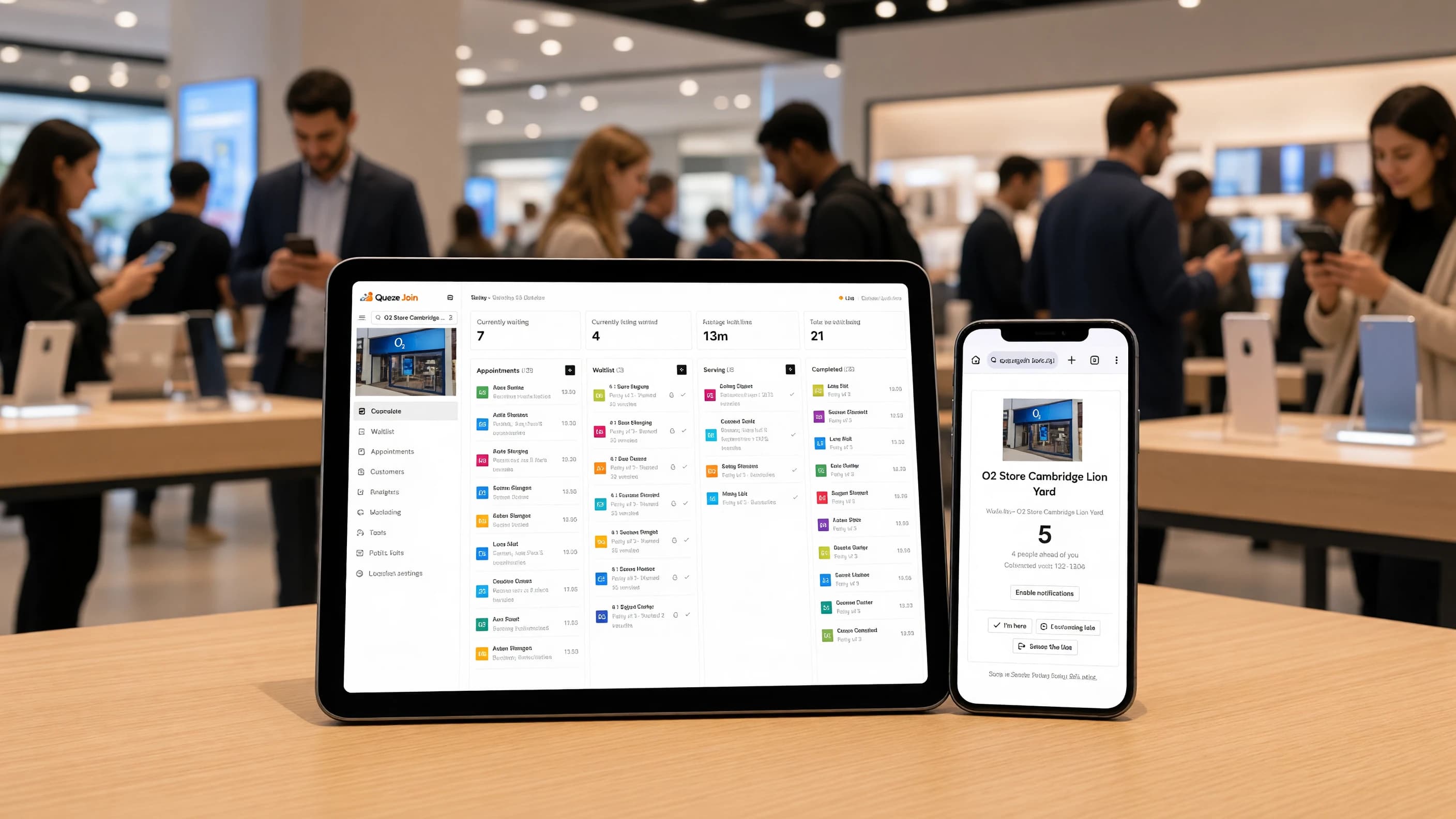
No app and no account. A customer scans a code or taps a link, joins the waitlist or books a slot, then gets on with their day until it’s their turn.
Customers scan the code at your door and join in seconds with their name and mobile number. There’s nothing to download.
A status page shows their position and an estimated wait, updating live as the line moves.
Customers pick a service, a day and a time. Only slots your team can actually serve are offered.
Confirm, reschedule, cancel or update their details from the confirmation page, without calling you.
Customers tell you when they’ve arrived or are running late, and it shows on your dashboard straight away.
Plans change. Customers can leave the line or fix their details themselves, so no one waits for a no-show.
Run a chain? One link lists every branch, so customers join the one nearest to them.
Put the live board on any screen in your waiting area, with ticket names, queues and a join QR code.
Your logo, colours and wording on every page customers see, from the join form to the booking confirmation.
Notifications
When it’s their turn, customers hear about it on the channel they actually read. Each channel steps in only if the one before it didn’t land.
Alerts go out on WhatsApp, the app most of your customers already have open.
If WhatsApp doesn’t deliver, a text follows by RCS or SMS. If WhatsApp was read, no second message is sent.
Customers can turn on browser notifications from the status page and get alerts without sharing anything else.
Booking confirmations and changes can go by email too, carrying your shop’s name.
Give customers a heads-up when they’re next, so they’re already walking back when you call them.
Reminders before each appointment, with a link to confirm or reschedule, cut down on missed slots.
For the alerts that matter most, an automatic phone call reaches customers who haven’t seen the message.
Switch each message and channel on or off per location, from joining the waitlist to the follow-up after a visit.
Every ticket shows each message sent, the channel that carried it and whether it was delivered or read.
For your team
Walk-ins and bookings land in the same place. Everyone on shift sees the same list, updated the moment anything changes, on any device.
Add a walk-in, call the next customer, and mark them served or a no-show, from the desk or a phone.
Day, week and month views, plus a view by staff member or room. Drag to move a booking.
Set what you offer and how long it takes, and who or what serves it. No double-booking.
Estimates based on how fast your team is serving right now, shown to customers as an honest range.
Message a customer who’s been waiting too long, or mark an unanswered call as a no-show, without lifting a finger.
Email the team when the waitlist backs up, someone has waited too long, or a booking is cancelled.
Every visit and booking for a customer in one place, with notes your team can add.
Add your own questions to the join and booking forms, from a reference number to a party size.
For owners and managers
See how every branch is doing, decide who can do what, and connect Queue Join to the rest of your tools.
Every branch in one account, each with its own hours, waitlists and settings. Switch between them in a click.
Visits, average wait, serve time and no-shows, with busiest hours and a breakdown by branch, service and team member.
Export to CSV whenever you like, or save a report and have it emailed to you on a schedule.
A QR code for each location or waitlist, plus a printable poster ready for the door.
Six ready-made roles, from Owner to Reader, or build your own from over a hundred individual permissions.
Invite your team by email and limit each person to the branches they work at.
Send campaigns only to customers who opted in, with a record of the exact wording they agreed to.
Read and create waitlist entries from your own systems, and get signed webhooks the moment something changes.
See who changed what and when, and export or erase a customer’s data when they ask.
The six features most shops start with, each with its own page.
Add walk-ins, call the next customer, and mark served or no-show in real time from any device.
WhatsApp first, SMS fallback, so customers always know the moment it’s their turn.
Let customers book a slot instead of walking in, with timezone-aware availability per location.
Run every branch of a chain from one account, with per-location hours, staff, and waitlists.
Track wait times, no-shows, and throughput live, then drill into historical trends.
Generate print-ready QR codes linked to a specific location or waitlist, styled with your branding.