Contents
- What is a queue management system?
- What are the types of queue?
- What are the types of queue management system?
- How does a virtual queue management system work?
- What are the benefits of a queue management system?
- How much does a queue management system cost?
- Which businesses use a queue management system?
- What features should you look for in a queue management system?
- Do customers have smartphones?
- How to set up a queue management system in an afternoon
- How Queue Join handles it
- A queue management system is about the wait, not the line
A queue management system is a way of organising people who are waiting for a service, so each one is seen in a fair order, knows roughly how long they'll wait and is called when it's their turn. It can be as simple as a rope and a ticket roll, or software that lets customers wait anywhere and alerts them on their phone.
This guide covers the types of queue and the systems that manage them, how a virtual queue works from start to finish, what each option costs, and what to look for if you run a small business and want to stop people standing in a line (or a queue, if you're British) by the door.
What is a queue management system?
A queue management system is the set of tools and rules a business uses to control a line of waiting customers. It decides the order people are served in, tells them where they stand and how long they'll wait, calls them forward, and often records what happened so you can staff better next time.
Queue management vs a queue management system
Queue management is the practice: how you design the wait. Where people stand, whether there is one line or several, who gets priority, what you tell people and how you stop the queue blocking the door.
A queue management system is the tool that carries it out. That might be physical (barriers and a "please wait here" sign), mechanical (a ticket dispenser and a "now serving" number) or digital (software that takes a name and mobile number and sends an alert).
You can manage a queue well with no system at all if it's short and predictable. Once waits run past a few minutes, or the line spills out of the shop, a system starts to pay for itself.
What are the types of queue?
Before choosing a system, it helps to know which kind of queue you actually have. Most businesses fall into one of four.
| Type of queue | Typical setting | Example | Typical problem |
|---|---|---|---|
| Structured | A fixed line with barriers or markings | Bank counter, airport security, post office | Takes floor space and makes the wait very visible |
| Unstructured | People gather and work out the order themselves | Barbershop bench, takeaway counter, pharmacy | Arguments about who was first, and people who leave because they can't tell |
| Virtual | People join remotely and wait wherever they like | Restaurant waitlist, walk-in clinic, phone repair shop | Customers need to trust they'll be called, and some wander too far |
| Mixed | Some customers have bookings, others walk in | Hair salon, garage, vet, optician | Two lists competing for the same staff, often kept in someone's head |
Most small businesses are unstructured or mixed. That matters, because a rope and stanchion fixes a structured queue but does nothing for the barbershop where six people are trying to remember who came in after whom.
What are the types of queue management system?
There are five broad options. They aren't mutually exclusive: plenty of businesses use barriers for the people physically present and a virtual queue for everyone else.
Rope and stanchion
Posts and retractable belts that form a single winding line. It's the classic bank and airport set-up.
- Good for: high-volume, short-wait counters where everyone is present anyway.
- Weak at: anything else. It doesn't tell anyone how long they'll wait, doesn't call anyone, and takes up the floor you'd rather use for selling or seating.
Paper sign-in sheet
A clipboard or whiteboard at the counter. People write their name, and staff call it out.
- Good for: trying the idea of a waitlist for free, on a quiet day.
- Weak at: everything that happens after the name is written. People can't leave without risking their place, names are hard to read, the sheet is visible to everyone, and you have no record afterwards.
Ticket dispenser
A "take a number" machine with a display showing the number now being served.
- Good for: fairness. The order is obvious and nobody argues.
- Weak at: letting people leave. Customers still have to stay within sight of the display, so the waiting area stays full. It's also a hardware purchase, and the paper rolls need replacing.
Self-service kiosk
A touchscreen at the entrance where customers check in, choose a service and get a ticket or a text.
- Good for: busy sites with several services, where a receptionist would otherwise spend their day asking "what are you here for?"
- Weak at: cost and footprint. Even a tablet on a stand needs mounting, power and someone to keep it working. On its own, a kiosk still often assumes the customer waits on site.
Virtual queue (QR code or link)
Customers scan a QR code, tap a link on your website or are added by a member of staff. They give a name and mobile number, watch their position on a web page, and get an alert when it's their turn. The wait happens wherever they like.
- Good for: almost any walk-in business with waits longer than a few minutes, and for mixing walk-ins with bookings.
- Weak at: very short waits, where the effort of scanning a code is more than the wait itself, and customers with no phone at all (staff can add them by hand).
Comparing the five
| System | Upfront cost | Set-up time | Works for walk-ins | Works for bookings | Sends alerts |
|---|---|---|---|---|---|
| Rope and stanchion | Low to medium (hardware) | Hours | Yes, if everyone stays | No | No |
| Paper sign-in sheet | Almost nothing | Minutes | Yes, if everyone stays | Only on a separate page | No |
| Ticket dispenser | Medium (machine, display, rolls) | Days, with installation | Yes, if everyone stays in sight | No | Only on the display |
| Self-service kiosk | Medium to high (device, stand, software) | Days to weeks | Yes | Often, for check-in | Sometimes, by text |
| Virtual queue (QR) | Low (software subscription) | An afternoon | Yes, and they can leave | Often, in the same tool | Yes: text, WhatsApp, push or email |
The pattern is clear: the physical systems fix the order but not the waiting. Only a virtual queue removes the need to stand there.
How does a virtual queue management system work?
Here is the whole journey, from the moment a customer arrives to the follow-up after they've left. The names of buttons vary between products, but the steps are much the same everywhere.
Arrive, or scan from anywhere
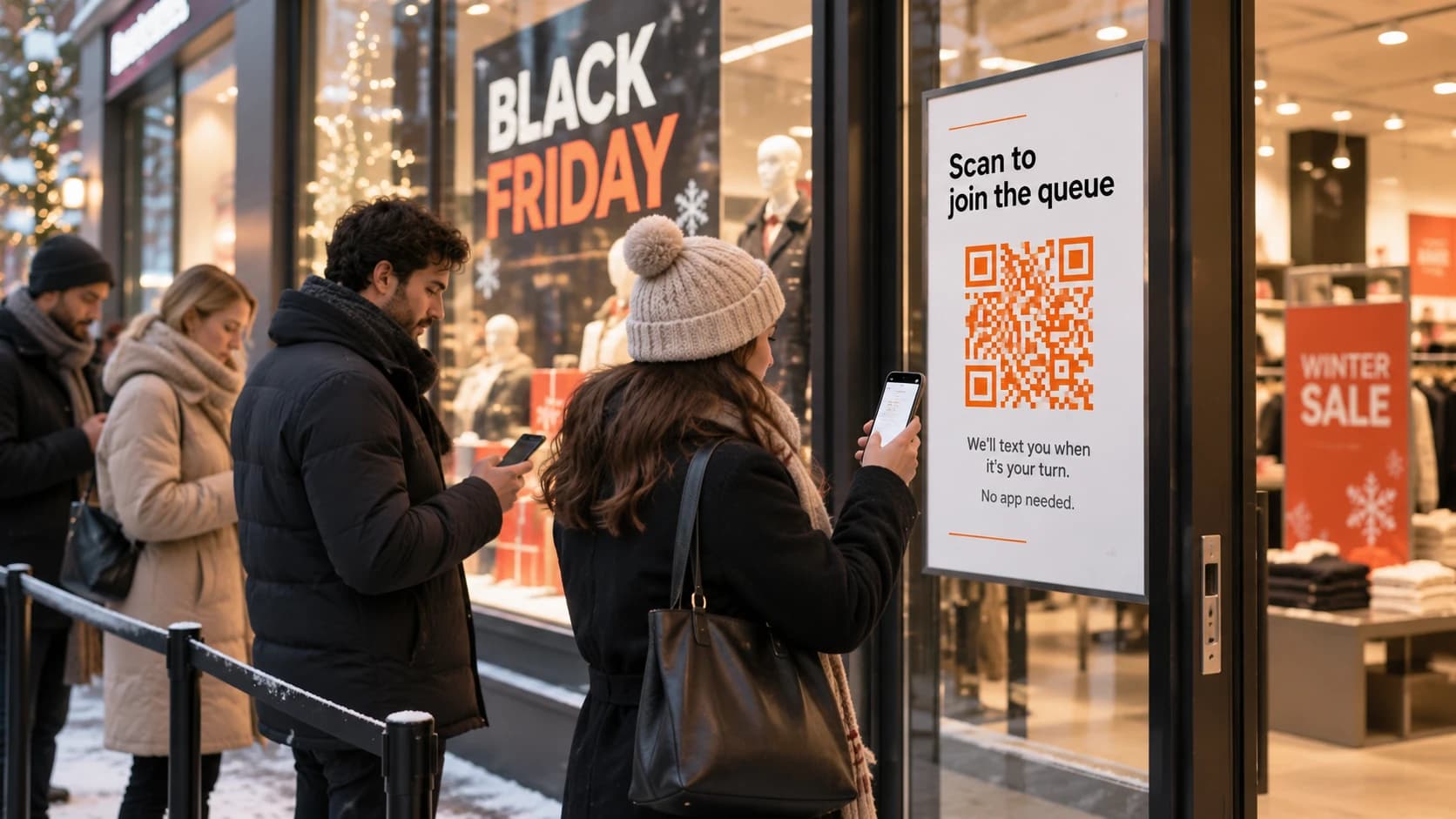
The customer sees a QR code on your door, your counter or a table card, or finds the join link on your website or social profile. Scanning opens a page in their phone's browser. There's nothing to download and no account to create.
Join
A short form asks for a name and a mobile number, and perhaps the service they want or their party size. Every extra field costs you people who give up halfway, so ask only for what you'll use.
Wait anywhere
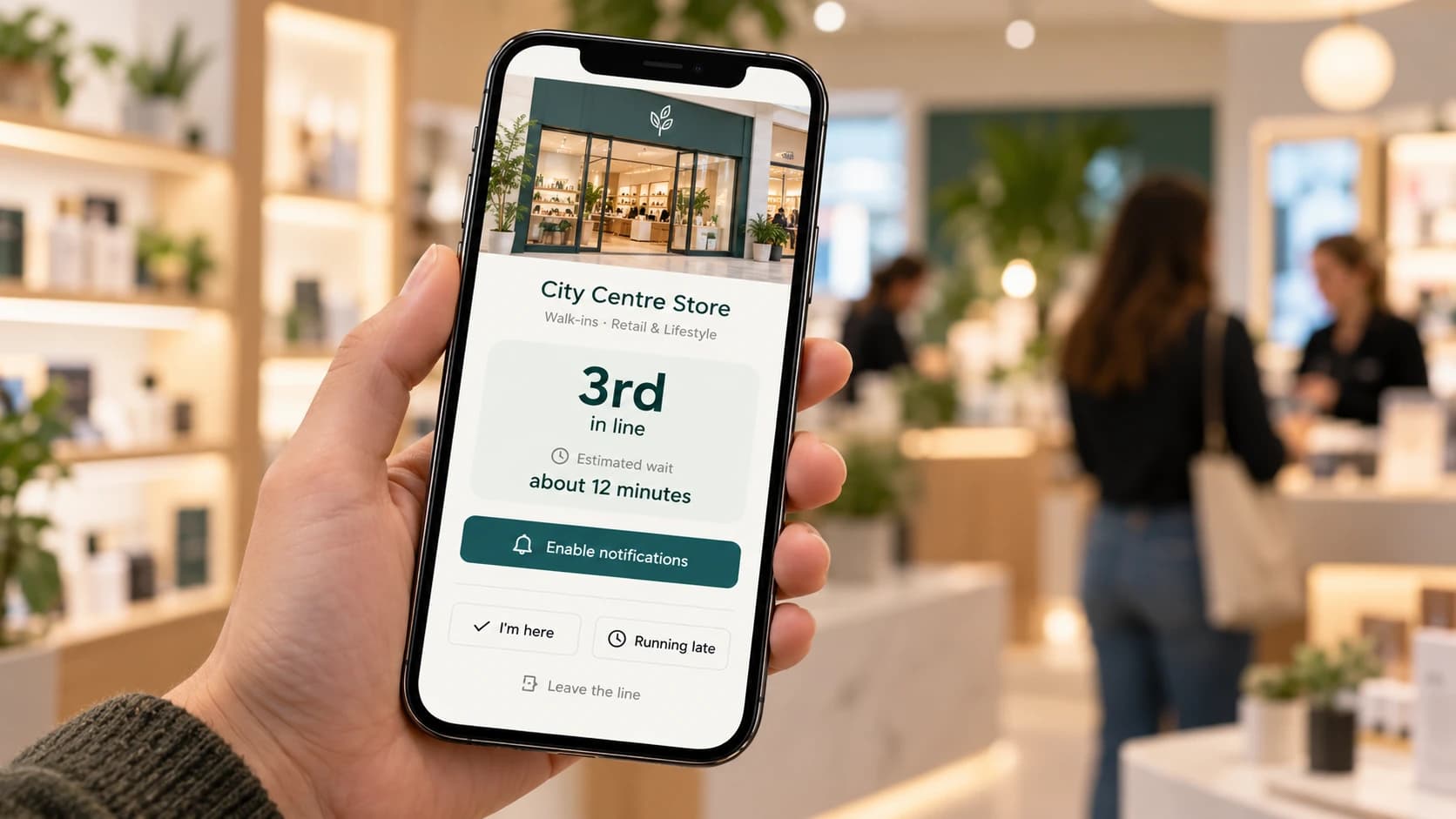
They land on a status page showing their position and an estimated wait, updating live as people ahead of them are served. They can go for a coffee, sit in the car or carry on shopping. The page also lets them say they're running late or leave the line, if you allow it.
Get called
When you're nearly ready, a member of staff presses a button and the customer gets an alert: a WhatsApp message, a text, a browser notification, an email or even an automated phone call, depending on the system.
Get served
They come back to the counter. Staff move them to "serving" on the dashboard, then "served" when they're done. The queue moves up and everyone's status page updates.
Follow-up
Some systems send a short survey after the visit, asking how it went. That's your early warning about long waits or a rude moment you never saw.
blog/queue-management-system-flow.webp · 1200 × 800
Four phone screenshots side by side from Queue Join: the join form (name and mobile), the status page ('2nd in line, about 8 minutes'), the WhatsApp 'it's your turn' message, and the 'How was your visit?' survey card.
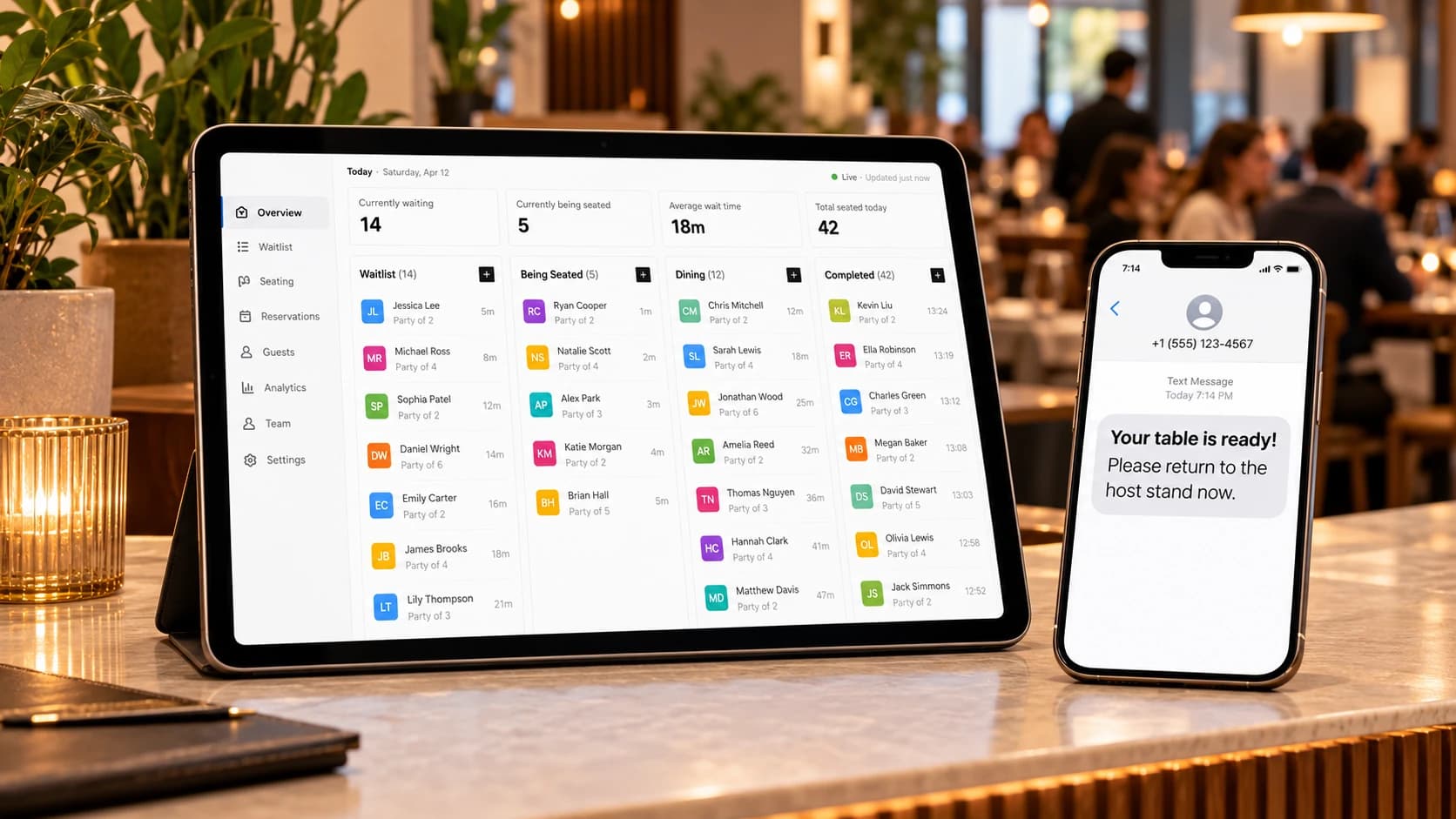
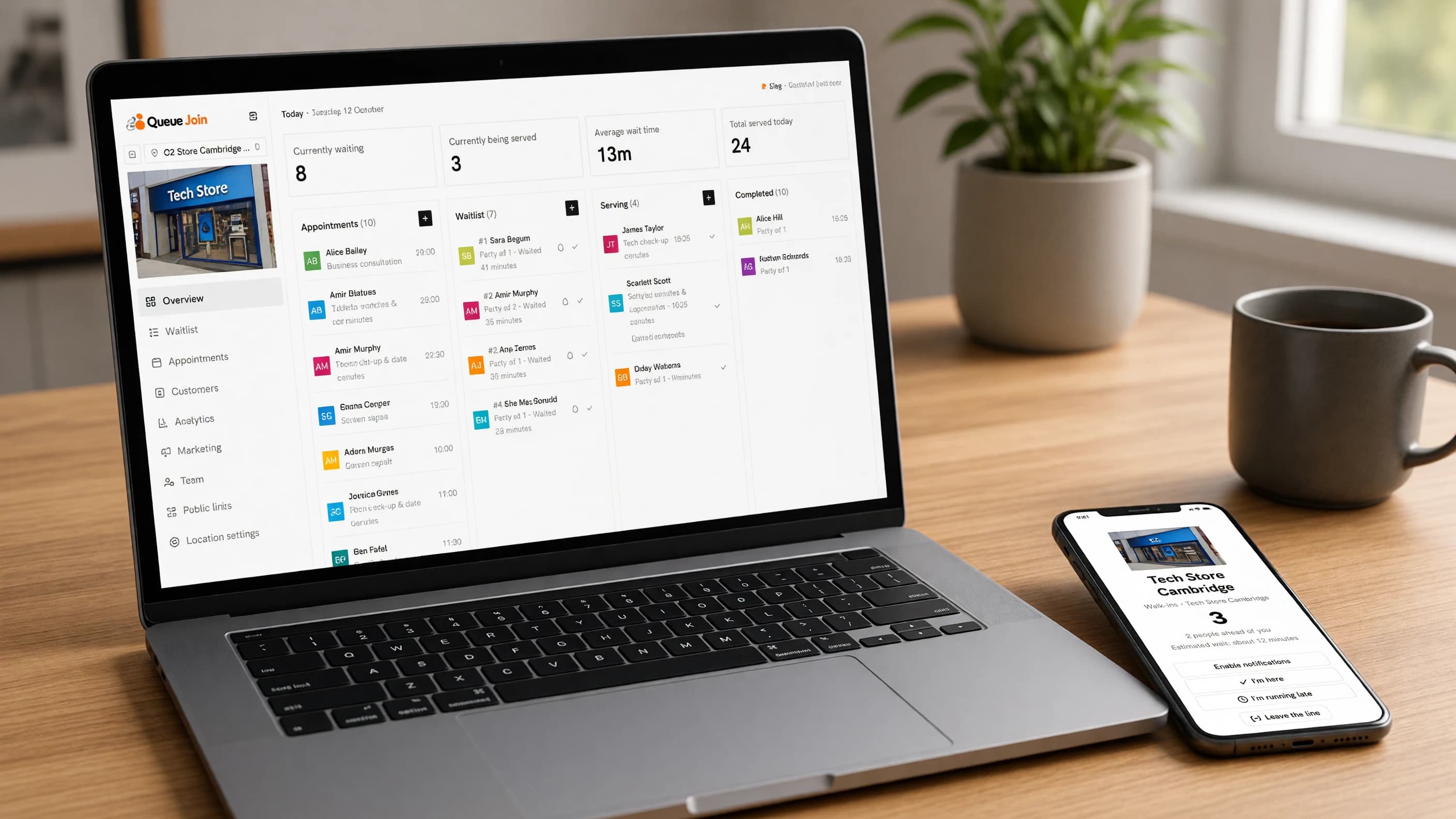
On the staff side, everything happens on one screen: the list of people waiting, who is being served, a button to add a walk-in by hand for the customer who doesn't want to scan anything, and buttons to alert, serve or mark someone as a no-show.
What are the benefits of a queue management system?
Shorter waits, or at least shorter-feeling ones
The idea is older than software. The management writer David Maister set out the psychology in 1985: unoccupied time feels longer than occupied time, uncertain waits feel longer than known ones, and anxiety (am I forgotten? did I pick the wrong line?) makes any wait drag [1]. A virtual queue tackles all three. People can do something else, they can see their position, and they know they'll be told.
Fewer walk-aways
Customers who look at a crowded doorway and leave never show up in your figures. A sign that says "scan to join the queue, we'll text you" turns some of them into a name on your list. You won't keep everyone, but you'll keep people who would otherwise have gone to the shop down the road.
Staff can see what's coming
A list on a screen tells the team how many people are waiting, for what, and for how long. That's the difference between calling someone in from their break at the right moment and discovering a queue of twelve when it's already too late.
Data on your peaks
Paper sheets go in the bin. A system records when people joined, how long they waited, how long they took to serve and how many gave up. A few weeks of that shows your real busy hours, which is the best rota-planning tool you'll ever have.
Customer contact details
Every visit leaves a name and a number. With the customer's separate, explicit consent, that can become a way to tell regulars about a quiet afternoon or a new service. Without consent, it's still useful for finding someone who left their bag behind.
One view across branches
If you run more than one location, a system lets you compare them side by side: which branch has the longest waits, which one loses the most customers, which one needs another pair of hands on Saturdays.
How much does a queue management system cost?
It depends on the type, and the price on the label is rarely the whole story.
Hardware vs software
Physical systems are mostly a one-off spend. Barriers, ticket machines and displays are bought outright, then need space, installation, spare parts and the odd repair. Kiosks sit in the middle: the device is a purchase, the software usually a subscription.
Virtual queue software is usually a monthly or annual subscription with nothing to install. The only hardware is a printed QR code and whatever screen your staff already have. Many products have a free plan for a single location with low volumes, and paid plans priced by location, by visit volume, by number of staff or by messages.
| Type | What you pay for | Ongoing costs |
|---|---|---|
| Rope and stanchion | Posts and belts | Replacement belts, floor space |
| Paper sign-in | Clipboards and pens | Staff time, lost customers |
| Ticket dispenser | Machine, display, installation | Paper rolls, repairs |
| Kiosk | Tablet or kiosk unit, stand, software | Subscription, device upkeep |
| Virtual queue | Subscription (often with a free plan) | Messages, if they aren't included |
"Per message" costs: the hidden cost in SMS-based tools
The line to read carefully on any virtual queue price list is how text messages are charged. Many tools pass the cost of each SMS on to you, sometimes with a mark-up, on top of the subscription.
Text messages aren't free to send. As a reference point, Twilio, one of the largest messaging providers, lists outbound SMS to UK mobiles at $0.056 per segment [2], and to US numbers at $0.0083 per segment plus a carrier fee of a few tenths of a cent [3]. A "segment" is up to 160 plain characters, or only 70 if the message contains an emoji or certain accented characters [4], so a long message can count as two or three.
Picture a busy café in the UK that runs a waitlist for 40 parties a day, six days a week. If each party gets a confirmation and an "it's your turn" text, that's around 80 texts a day, or about 2,000 a month. At the raw UK rate above, that's roughly $110 a month in texts alone, before any mark-up. The subscription might be the smaller number.
So when you compare prices, ask:
- Are messages included, and how many?
- What happens past the allowance: blocked, or charged, and at what rate?
- Is there a free channel (web push, email or WhatsApp) to cut the number of texts?
Queue Join includes a monthly messaging allowance in every plan, Free included, sends WhatsApp first where it reaches the customer, and offers free web push and email alongside. For the current allowances and prices, see current pricing.
Which businesses use a queue management system?
Anywhere people turn up and wait for a person. These are the most common.
Retail stores
Phone shops, electronics stores and anywhere with a repair or returns desk. Customers would rather browse than stand at the counter, and every minute browsing is a minute they might buy something. See how it works for retail stores.
Healthcare clinics
Walk-in clinics, GP surgeries, physiotherapists and dentists with emergency slots. A virtual queue keeps the waiting room less crowded, which matters when some of the people in it are unwell, and lets patients wait in the car. More on healthcare clinics.
Barbershops and hair salons
The classic mixed queue: booked appointments and walk-ins competing for the same chairs. A system that knows both stops the "I was here first" argument and lets walk-ins nip out until a chair is free. See barbershops and hair salons.
Restaurants and cafés
Restaurants have used waitlists for decades, from the host's notepad to the vibrating pager. A text or WhatsApp alert does the same job without the pager deposit, and the party can wait at the bar or down the street. See restaurants and cafés.
For a restaurant-specific playbook, read restaurant waitlist management.
Pharmacies
Prescription collections and drop-offs move at very different speeds, and the queue can stretch to the door in flu season. Two queues, one for each, keep the quick jobs quick. See pharmacies.
Banks, councils and public offices
Structured queues by tradition, often with ticket machines already. A virtual queue adds the ability to leave, and booking for the visits that take longer. See banks and credit unions and government and public sector.
Garages, vets and other service desks
Anywhere the job takes a while and the customer would rather not sit in a small waiting room: car servicing, vet appointments, key cutting, opticians. See car dealerships and garages and veterinary practices.
What features should you look for in a queue management system?
Here is a short checklist to take into any demo or free trial. If a product can't do the first five, keep looking.
- No app for customers. Joining should work from a QR code or link in any phone browser.
- A live status page. Customers see their position and an estimated wait without refreshing.
- Alerts on the channels your customers use. Text at a minimum. WhatsApp matters in much of Europe, Latin America and Asia. Free web push and email are a bonus.
- Staff can add someone by hand. Not everyone will scan a code, and a system that only takes online joins excludes them.
- Clear, predictable messaging costs. Know what's included before you start.
- Walk-ins and bookings in one place, if you take both.
- Opening hours and capacity limits, so nobody joins at midnight or into a queue you can't clear before closing.
- Reports and history, so you can see your busy hours and no-show rate.
- Staff roles, so a part-timer can run the waitlist without touching billing.
- Multi-location support, if you have or plan a second branch.
- Data handling you can explain: what's collected, where it's kept, and how to export or delete one person's data. Under UK GDPR, people have a right to a copy of the data you hold about them [6].
- A free plan or trial long enough to test on a real busy day.
Do customers have smartphones?
This is the most common worry, so it deserves a straight answer. In the US, Pew Research Center found in 2025 that 91% of adults own a smartphone, and 78% of those aged 65 and over do [5]. So most customers can scan a code, but not all of them, and older customers are the most likely exceptions.
Two things make that a non-issue in practice. First, a virtual queue doesn't need a smartphone to receive the alert: a text reaches any mobile phone, and a voice call reaches any phone at all. Second, staff can add a customer to the queue by hand at the counter. The customer who doesn't want to use their phone gets exactly the old service, and everyone else gets a better one.
How to set up a queue management system in an afternoon
You don't need a project plan. For a single location with walk-ins, this is a realistic afternoon's work.
Pick one queue to start with
Start with one line. Split it later only if two kinds of visit really move at different speeds, such as prescription drop-offs and collections in a pharmacy. Two queues means two separate wait estimates, which helps when they differ and confuses when they don't.
Set your opening hours
Tell the system when the waitlist is open, so nobody joins at three in the morning. Set a capacity limit if you know you can only serve so many before closing.
Decide what to ask
Name and mobile number is enough for most businesses. Add a service choice only if staff will use it to prepare.
Choose your messages and channels
Decide which moments trigger a message (joined, next in line, it's your turn) and which channels carry them. Fewer, well-timed messages beat a running commentary.
Print the QR code
Put it where people decide whether to wait: the door or window, the counter, the table cards. Not only at the back of a line, where it's too late.
Test it on a real phone
Scan the code on a phone that isn't signed in to anything, on mobile data rather than the shop Wi-Fi, and go through joining, being called and being served. Ten minutes here saves a bad first day.
Brief the team and run a trial week
Show everyone the three buttons they'll use most: add a walk-in, alert, and served. Then run it for a week, including your busiest day, before deciding anything.
If you're using Queue Join, the getting started guide walks through each of these steps with screenshots, and how Queue Join works explains how locations, queues and visits fit together.
How Queue Join handles it
Queue Join is a virtual queue and booking system for businesses that serve people in person. Customers join from a QR code or link with no app, follow their place live, and are alerted by WhatsApp first, then a text (RCS or SMS) only if the WhatsApp didn't land, with free web push and email alongside and automated voice calls as an add-on. Staff run the waitlist and appointments from one real-time dashboard, and both flows share the same customers, services and staff, so walk-ins and bookings don't collide.
FeatureLive waitlist managementAdd walk-ins, call the next customer, and mark served or no-show in real time from any device.Learn moreMessages come out of an allowance included in every plan, rather than being charged one by one. The wording of each message is set by Queue Join (WhatsApp requires pre-approved templates, and the other channels are kept in step), and each location chooses which messages go out and on which channels.
FeatureInstant WhatsApp alertsWhatsApp first, SMS fallback, so customers always know the moment it’s their turn.Learn moreSome features, such as analytics and reports, the self-service kiosk and the TV "now serving" display, are on higher plans. See current pricing for what each plan includes.
A queue management system is about the wait, not the line
The rope, the ticket and the kiosk all solve the same problem: who's next. The bigger problem for most small businesses is that customers have to stand there to find out. Fix that, and the line by the door mostly disappears on its own.
Start small. One queue, one QR code, one trial week. You'll know by the end of it whether your customers like waiting somewhere else, and the numbers will tell you when your busy hours really are.
Frequently asked questions
Sources
- David Maister — The Psychology of Waiting Lines (1985)
- Twilio — SMS pricing for the United Kingdom (checked October 2026)
- Twilio — SMS pricing for the United States (checked October 2026)
- Twilio — What is the SMS character limit?
- Pew Research Center — Mobile fact sheet (2025)
- Information Commissioner's Office — Right of access

About the author
Chris Hunter
CEO and founder of Queue Join, writing about running waitlists, bookings and customer messages for businesses that serve people in person.
More about Queue Join